The Web Design Process: How I Take a Website From Idea to Live in Four Steps
A plain-English walk through my web design process — the four steps that turn a first conversation into a fast, live website you can edit yourself. Discovery, Strategy, Execution, and Launch, plus how long it really takes and how AI fits in.
Most people think building a website starts with picking a colour. It doesn’t. It starts with a conversation, and I’ve learned the hard way that the projects that skip that conversation are the ones that come back six weeks later wanting a full redesign — which, if we’re keeping score, is not a redesign, it’s a re-do with extra steps.
So here’s how I actually work, minus the mystery.
The short version: The web design process is the set of stages a website goes through from first idea to live site. Mine has four: Discovery, Strategy, Execution, and Launch & Scale. Discovery figures out what the site is for. Strategy decides its shape. Execution builds it in real code. Launch puts it live and hands you the keys.
That’s the whole map. The rest of this post is the detail — including how long it really takes, where AI fits in, and the one thing I do differently from almost every agency: I hand you a site you can edit yourself, no developer required, no ransom notes.
Let’s get into it.
Step 1: Discovery — the part everyone wants to skip
Every project starts with understanding, not design. Before I open a code editor or draw a single layout, I need to know what the website is actually for. Not “a website.” What job it’s being hired to do.
Discovery is a focused conversation about three things.
- Your goals. What should this site do — book calls, sell a service, collect leads, prove you’re not a guy running a business out of a Gmail address? A site built to book appointments looks nothing like one built to sell products. If we don’t agree on the job first, we’re just decorating.
- Your audience. Who’s landing on the page, and what do they need in the first ten seconds? Someone comparing three quotes needs different things than someone who already trusts you and just wants the “book now” button. Ten seconds, by the way, is generous. Most people decide in about three, which is roughly the time it takes to regret opening a website that autoplays music.
- Your competition. I look at what similar businesses are doing — what works, what’s cluttered, and where there’s a gap for you to look like the obvious choice instead of the fourth tab someone forgot they opened.
The industry has a name for the thing that comes out of this step: a brief. A written document that captures the goals, the scope, and who the site is for. Every serious agency starts here, and there’s a reason it’s the golden rule — it’s the shared understanding everyone points back to when someone inevitably says “wait, I thought we were doing X.”
But here’s the honest bit: the real output of Discovery isn’t a document. It’s clarity. By the end, we both know exactly what the site needs to accomplish and who it’s talking to. Every step after this one is faster and cheaper because of it. Skipping Discovery to “save time” is like skipping the map to save petrol. You’ll drive further. You won’t get there sooner.
Step 2: Strategy — deciding the shape before it’s expensive to change
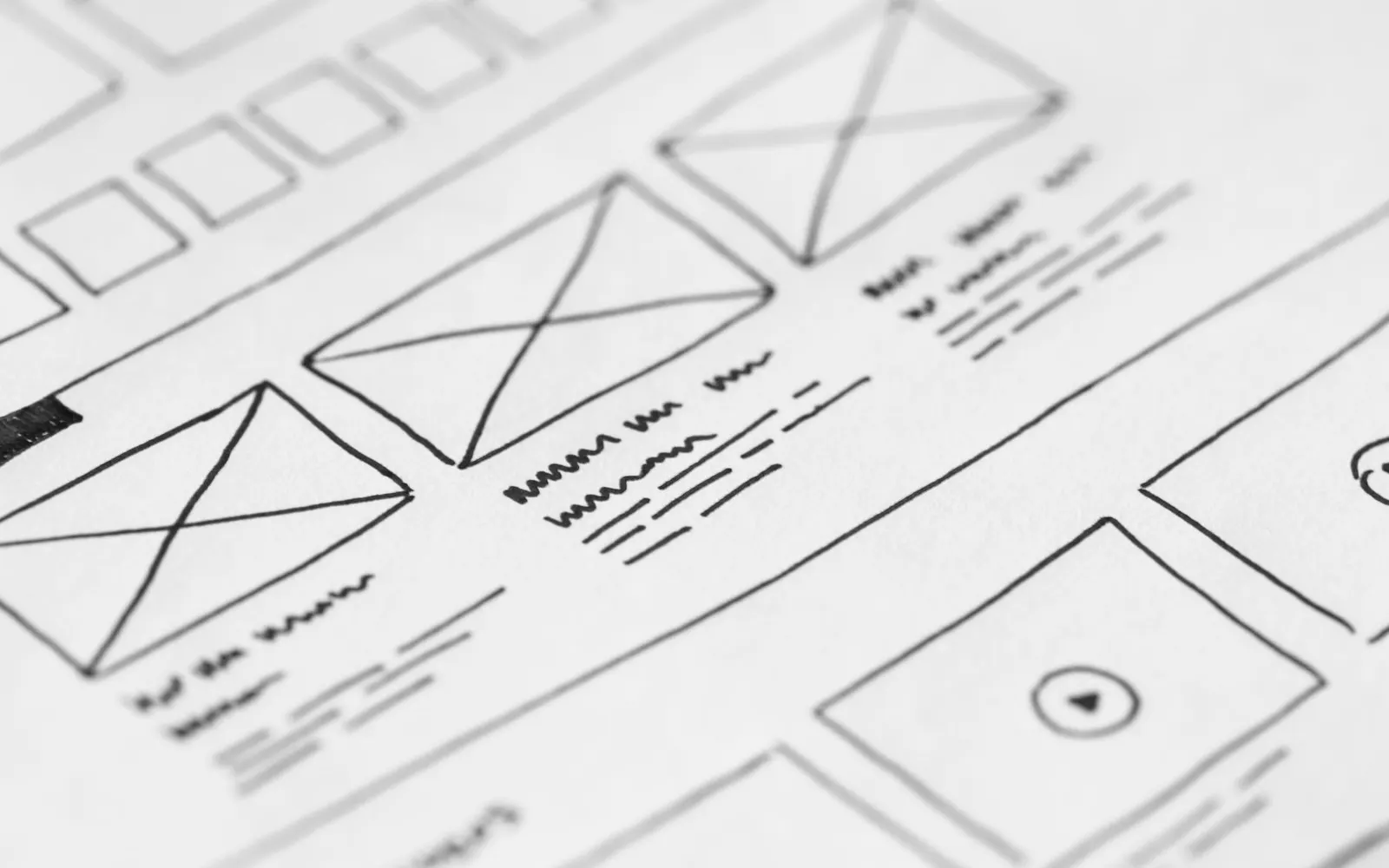
With Discovery done, Strategy turns understanding into a plan. This is where the website’s skeleton appears — before any visuals — because a wireframe is a lot cheaper to redraw than a finished page. (A wireframe is basically a website with no clothes on. All structure, no style. We agree on where the bones go first, then we get it dressed.)
Strategy covers four things.
The sitemap — which pages exist, and why. Most small-business sites need fewer pages than people expect. I’d rather build three pages that convert than ten that dilute the message and give visitors more places to get lost. Every page has to earn its spot. If a page can’t explain what it’s for in one sentence, it’s not a page, it’s a hiding spot.
The user journey. What’s the path from landing on the homepage to actually doing the thing? Every page should have one clear next step. A site where every button shouts equally loud is a site where nobody does anything — the “Bee Movie script” of navigation, technically all there, functionally useless.
Wireframes. Before colour and typography enter the chat, I map the layout of the key pages in grey boxes. Headline here. Proof there. Button where the thumb can reach it. Working on the layout without the visual distraction is how you catch a bad structure early, while it still costs nothing to fix.
The creative direction. The overall feel — typography, colour, tone — gets set here so the whole site holds together instead of turning into a patchwork of nice-looking pieces that clearly don’t belong on the same website. Consistency is what makes a site feel designed instead of assembled.
There’s also a quiet third partner in this step that nobody likes talking about: content. Words are part of the design, not a thing you pour in at the end like petrol into a car that’s already on the highway. If we know roughly what each page needs to say during Strategy, the design gets built around real messaging instead of “lorem ipsum” placeholder that everyone forgets to replace until it’s live and a customer emails you asking what “dolor sit amet” means.
Good strategy is the difference between a website that looks nice and one that earns its keep. Decoration versus design. One gets compliments. The other gets you customers.
Step 3: Execution — real code, built with AI, checked by a human
This is where the site actually gets built, and where I get the most questions — because how I build is a bit different from the usual agency.
I write real, production-grade code on a modern stack — Next.js, React, and Astro — instead of dragging boxes around in a page builder. That matters more than it sounds. Hand-controlled code is faster, more secure, and genuinely yours. Page builders trade long-term performance for short-term convenience: they bundle in bloat you can’t fully remove, like packing for a weekend trip and somehow bringing four suitcases and a canoe. A custom-built site loads fast, ranks better, and doesn’t handcuff you to anyone’s platform (or their monthly “platform fee” that mysteriously goes up every year).
Now the part everyone’s actually curious about: I build with AI, but I don’t let AI build blindly. I use AI the way a senior developer uses a very fast, very literal junior — to plan approaches, scaffold the repetitive stuff, and catch mistakes early. But every line that ships is reviewed, tested, and understood. AI makes me faster. It does not make the decisions. Left unsupervised, AI will confidently build you something that looks right and quietly falls over on a phone — the digital equivalent of a contractor who’s great until you notice the stairs don’t reach the second floor.
The payoff: a simple, well-scoped site can go from confirmed to live in as little as a day, without the quality trade-off that usually comes with that kind of speed.
During Execution, you’re not left guessing either. You review real, working pages — not static mockups — so what you approve is exactly what goes live. No “the demo looked different” surprises.
The boring bit that quietly saves you: testing
Before anything goes live, I test it. This is the least glamorous part of the whole process and the one that separates a real build from a “looks great on my laptop” build.
- Every screen size. Your site gets checked on phones, tablets, and desktops. More than half your visitors are on a phone, and a site that only looks good on a big monitor is a site that only looks good to you.
- Every major browser. Chrome, Safari, Firefox, Edge. Safari in particular has opinions, and it likes to share them at the worst possible moment.
- Speed. A slow site loses people before they’ve read a word — every extra second of load time drops conversions, and Google notices too. Fast isn’t a nice-to-have, it’s the whole first impression.
- The actual buttons. Forms submit. Links go somewhere. The “contact” button contacts someone. You’d be amazed how often that last one isn’t true on sites that “worked fine.”
None of this shows up in a screenshot. All of it shows up the day a real customer tries to use the thing. That’s why it’s not optional.
Step 4: Launch & Scale — live, fast, and actually yours
The last step is getting your site into the world and making sure you can run it without me hovering over your shoulder like a nervous parent at a first driving lesson.
Every site I build is deployed to a global CDN — meaning it’s served from data centres close to your visitors, so it’s fast everywhere, not just wherever I happen to be sitting. There’s no server to babysit and nothing to patch. Static sites are both quicker and much harder to hack than the database-driven platforms most small businesses end up stuck on. Fewer moving parts, fewer things that break at 2am.
Then comes the part I’m actually proudest of: the handoff. I set every client up on an Astro-based site connected to a simple content management system (CMS). Through a clean dashboard, you can:
- Edit any text yourself — headlines, paragraphs, prices. Change a phone number without filing a support ticket and waiting three business days.
- Swap images and add pages without touching a single line of code.
- Publish instantly. Every change you save goes live automatically, usually inside a minute.
Here’s the safety net: because the CMS only exposes content and not code, you can’t accidentally break the site. Poke around all you like — the worst you can do is fix a typo. And because everything’s version-controlled behind the scenes, any change can be rolled back. You get the control of a big platform with none of the fragility.
This is the bit most agencies quietly hate, because “you need us to change a word” is a nice little recurring invoice. I’d rather you own your site. If you’d genuinely rather stay hands-off, managed hosting keeps everything fast, secure, and backed up while you go run your business. Your call — not a trap.
And “Scale” isn’t just a word I added to make the step sound bigger. A launched site isn’t finished, it’s started. You watch what pages people actually visit, you tweak the ones that underperform, you add a service page when you add a service. The process doesn’t end at launch. Launch is where the useful part begins.
So how long does a website actually take?
Straight answer: a typical custom website takes somewhere between six and twelve weeks from first conversation to live, depending on scope, complexity, and — this is the big one — how fast you get me content and feedback.
That’s the industry norm, and for a big, feature-heavy build it’s honest. But it’s also where I break from the usual timeline. Because I build in real code with AI doing the repetitive lifting, a simple, well-scoped site can be live in as little as a day. Not a template with your logo slapped on — a real, custom, tested site.
So what actually decides where you land on that scale?
- Scope. A five-page service site is not a fifty-page store with a booking system. More pages, more features, more time. Obvious, but it’s the number-one thing people underestimate.
- Content. The single biggest cause of a slow project isn’t the design. It’s waiting on the words and photos. If you’ve got your content ready, you’ve just deleted weeks from the timeline.
- Feedback speed. A project moves at the speed of its slowest reply. If a round of feedback takes you two weeks, the site takes two weeks longer. I can build fast. I can’t build faster than you can say “yep, looks good.”
- Revisions. A couple of rounds are healthy. Fourteen rounds because we never nailed the goals in Discovery is not — which is, again, why we do Discovery.
The short version: the design isn’t usually the bottleneck. The bottleneck is decisions. Make them quickly and the whole thing flies.
The one-day fast track (for small businesses that just need to look good)
Here’s the part I don’t advertise enough: not every business needs all four steps.
If you’re a small business, you don’t have a website yet, and you’re not trying to build the next Airbnb — you need a clean, fast, professional site that makes you look legit and tells people how to hire you. That’s it. And for that, spending two weeks in Discovery workshops mapping out user personas would be like hiring a surveyor to hang a picture. Nice thoroughness. Completely the wrong tool.
So for the simple ones, I compress the process. We have a short, honest conversation about what you do and who you’re for — call it Discovery-lite, twenty minutes, not two weeks — and then I go straight to build. Because I write real code with AI doing the repetitive lifting, a well-scoped small-business site can be live in about a day. Not a template with your logo dropped on top. A real, custom, tested site that happens to not need a committee to ship.
What you skip: the heavy Strategy phase, the endless wireframe rounds, the discovery deck nobody reads twice. What you keep — because these aren’t negotiable — is the part that matters:
- A proper build. Real code, tested on phones and every browser, fast everywhere. Speed and quality don’t get cut just because the timeline is short.
- Launch & Scale, same as everyone. Your site goes live on a global CDN, and you get the CMS. Change your text, swap your images, add a page — all yourself, no ticket, no developer, no waiting.
- You own it. Same as the big builds. It’s your site, not a rental you keep paying to touch.
The trade is simple: less process, less cost, live in a day — in exchange for a smaller scope. When your business grows and the site needs to do more, we add the missing steps then. You don’t pay for Strategy you don’t need yet.
When you should not hire me
I’m going to do the thing agencies never do and talk you out of a sale, because it saves us both a headache.
If you need a single-page “here’s my phone number and hours” site, and you’re comfortable with tech, you don’t need me. A good template on Squarespace or a Framer starter and an afternoon will do it for the price of a lunch. Paying for a custom build there is like hiring a chef to make toast. It’ll be excellent toast. It’s still toast.
You should call me when the site has a real job to do — when it needs to rank, convert, load fast, handle real traffic, or grow with the business, and you want to actually own it instead of renting it forever. That’s where custom code and a proper process earn their keep. Below that line, I’ll happily point you at the cheaper option and we’ll both get on with our day.
Telling you when not to hire me is, frankly, the fastest way to trust me when you do.
The whole point of a process
Discovery, Strategy, Execution, Launch & Scale. Four steps, one goal: a website that does a real job for your business, built fast, and handed over so you’re the one holding the keys.
The process isn’t there to slow things down or make it look complicated so you feel like you got your money’s worth. It’s there so nothing important gets skipped, so you always know what happens next, and so the site that launches is the site we actually agreed on — no surprises, no bloat, no “call us to change a comma.”
If that’s how you’d want your own site built, have a look at my pricing — it’s simple and there’s no “starting at” nonsense — or get in touch and tell me what you’re working on. Worst case, I talk you out of it and you keep your money. Best case, you get a website you’re not slightly embarrassed to send people to.
Straight answers (the questions I actually get)
What is the web design process? It’s the set of stages a website moves through from first idea to live site. Most agencies break it into somewhere between four and eight steps. Mine has four — Discovery (work out what the site is for), Strategy (decide its structure and content), Execution (build and test it in real code), and Launch & Scale (put it live and hand it over). The point of having a process at all is to prevent scope creep, missed goals, and a finished site nobody actually agreed on.
What are the steps of web design, exactly? Whatever the count, the same work happens in every good process: define goals, research the audience and competitors, map the site structure with a sitemap and wireframes, design the visuals, write and place the content, build it, test it across devices and browsers, launch, and keep improving after. I group that into my four steps, but if someone sells you an eight-step version, they’re describing the same road with more signposts.
What’s the first step in web design? Discovery — figuring out what the site needs to do and who it’s for, ideally written down as a brief. It’s not the fun step, but it’s the one that makes every other step cheaper. Start with a colour palette instead and you’ll redo the whole thing.
How long does it take? Six to twelve weeks for a typical custom site, and as little as a day for a simple, well-scoped one built the way I build. The variable that moves the timeline most isn’t the design — it’s how quickly you supply content and feedback.
Do I always need all four steps? No. Big builds with a real job to do get the full process. But a small business that just needs a clean, professional site to look legit and take enquiries doesn’t need two weeks of Discovery and Strategy — I compress those to a short conversation and go straight to build, so a well-scoped site can be live in about a day. You still get a proper tested build, the CMS, and full ownership. When the business grows and the site needs to do more, we add the missing steps then.
What’s the difference between web design and web development? Design is how it looks and how a visitor moves through it — layout, typography, the journey. Development is the code that makes it actually work in a browser. Some people split those across two hires. I do both, which is part of why the timeline is shorter — nothing gets lost in the handoff between a designer who can’t code and a developer who’s never met the client.
Can I really edit the site myself after launch? Yes, and that’s the whole point. You get a dashboard where you can change text, swap images, and add pages, and it publishes in about a minute. You can’t break anything, because the CMS only touches content, never code. No developer, no ticket, no waiting. If you’d rather not touch it at all, managed hosting has you covered — but the option is yours, not mine.
Image credits: Photos by Negative Space, Jakub Zerdzicki, picjumbo.com, Seraphfim Gallery, Vlad Bagacian, and Michaela on Pexels.